01 /Screen time control

Reclaim
your time.

Keep your apps blocked. Only unblock them with an NFC tag, QR code, barcode or location. Completely free, open source and private.

  • Free forever
  • Open source
  • No tracking
  • Works offline

Unblock only with

NFC Tag
QR Code
Barcode
Location
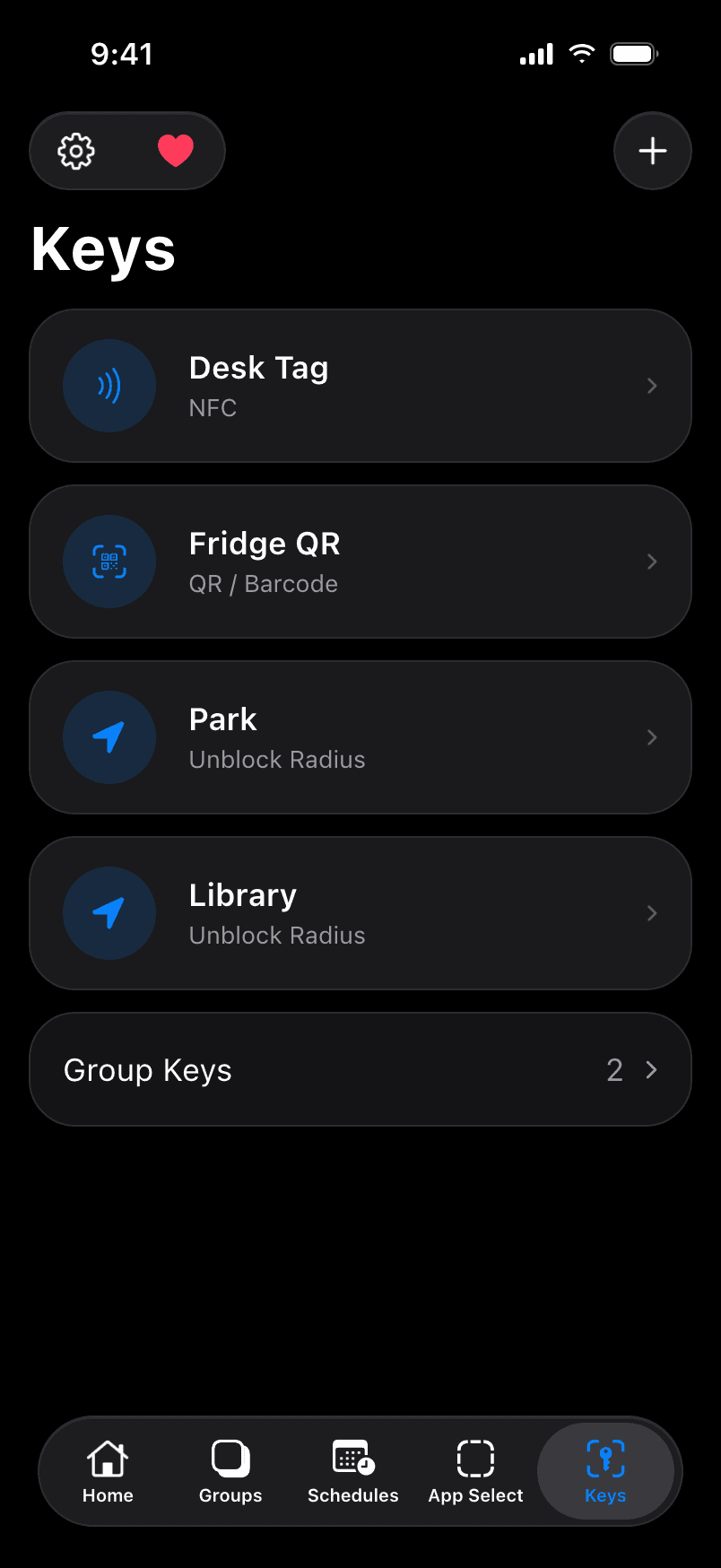
Keys screen: an NFC desk tag, a fridge QR code and location keys
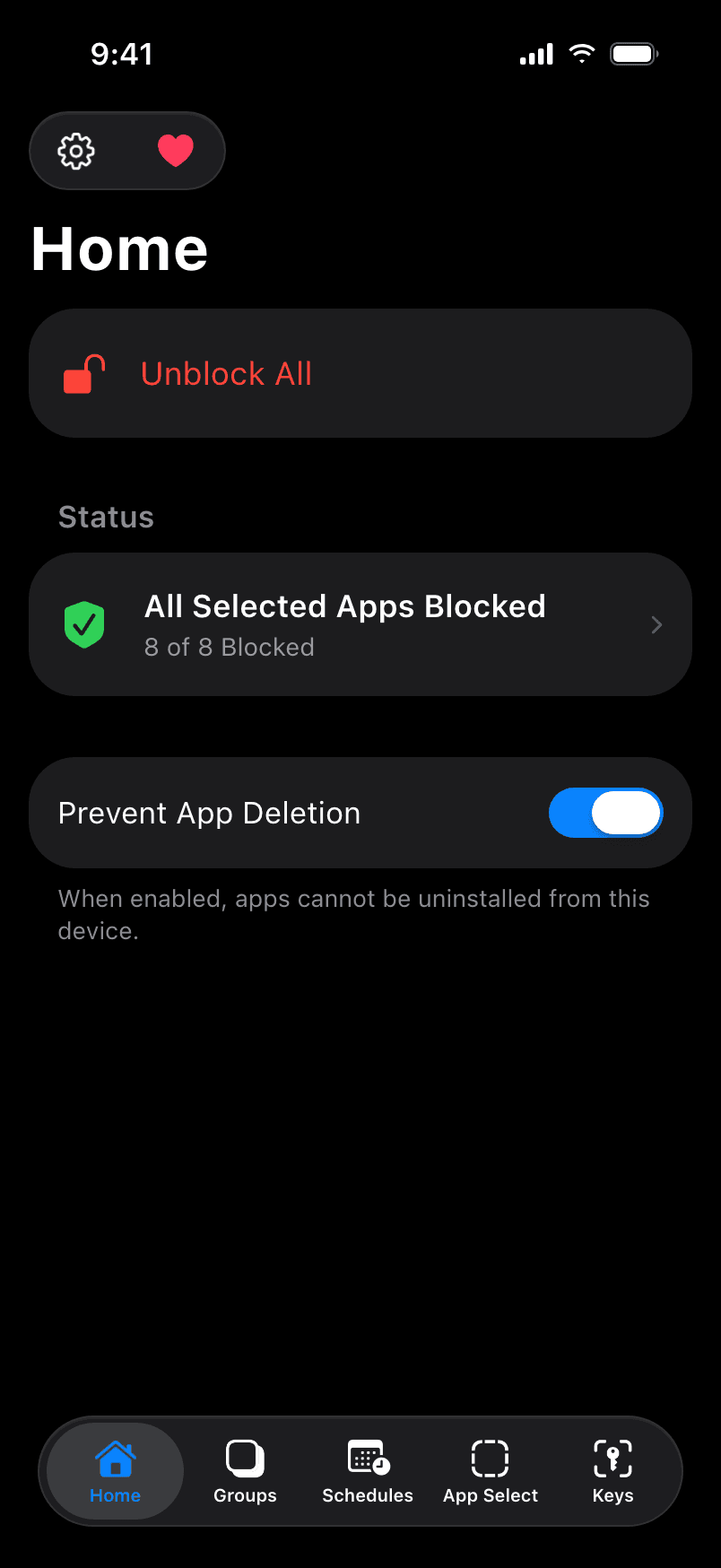
Normal home screen showing all selected apps blocked

8 of 8 apps blocked

02 /Why it matters

3h 46m

That's how long the average person spends online on their phone every day.[1] Most of it isn't a choice. It's a default.

Normal flips the default. Apps stay blocked until you decide otherwise.

Your screen time, over a lifetime

61days

on your phone every year

8.3years

of the rest of your life, by age 80

25%

of every waking hour

Cut it in half and you get back 4.2 years.

Assumes 16 waking hours a day. Calculated in your browser; nothing is sent anywhere.

03 /The research

Less phone, measurably better life.

The ideas behind Normal come straight from published studies on attention, friction and well-being.

10years

Two weeks without mobile internet improved sustained attention by about as much as 10 years of age-related decline. 91% of people improved in attention, mental health or well-being.[2]

467 people · PNAS Nexus, 2025

In NormalBlock distracting apps and turn your iPhone into a dumbphone.
Outof reach

People with their phones in another room scored higher on working memory and fluid intelligence than people with their phones face-down on the desk.[3]

~800 people · JACR, 2017

In NormalYour key creates a physical barrier between you and your apps.

57% fewer

Adding friction before opening distracting apps cut how often people actually opened them by 57% after six weeks.[4]

280 people · PNAS, 2023

In NormalNormal's friction is physical: no key, no unblock.

30min a day

Limiting social media to 30 minutes a day for three weeks significantly reduced loneliness and depression.[5]

143 students · JSCP, 2018

In NormalMax daily limits and timed unblocks keep it to the time you choose.

04 /Why Normal

Willpower isn't a strategy.

Even people who volunteered to block their mobile internet struggled. Only about 1 in 4 kept the block on for 10 of 14 days.[2]

If turning it off is easy, you will. So Normal makes it hard on purpose.

  • Screen Time limits

    Ignore Limit is one tap away.

  • Deleting apps

    Reinstalling takes seconds.

  • Grayscale mode

    One toggle and it's undone.

  • Normal

    Your key creates a physical barrier: no key, no unblock. Prevent bypassing and there's no way around it.

05 /How it works

A physical barrier for a digital habit.

Most blockers ask if you're sure. Normal makes you get up.

  1. 1

    Pick your apps

    Choose the apps and websites to block with Apple's Screen Time picker. Normal blocks them right away.

  2. 2

    Register a key

    Scan any NFC tag, QR code or barcode, or drop a pin on a map. That key is now the only way to unblock.

  3. 3

    Create a physical barrier

    Keep your key in your car, at the office or with a friend. However hard it is to reach your key is how hard it is to unblock.

06 /Features

01Physical keys
Keys screen with NFC, QR code and location keys

Any Key

Use any NFC tag, QR code or barcode as your key. AirTags, stickers, cards, even a snack wrapper.

  • NFC
  • QR Code
  • Barcode
02New ·Location keys
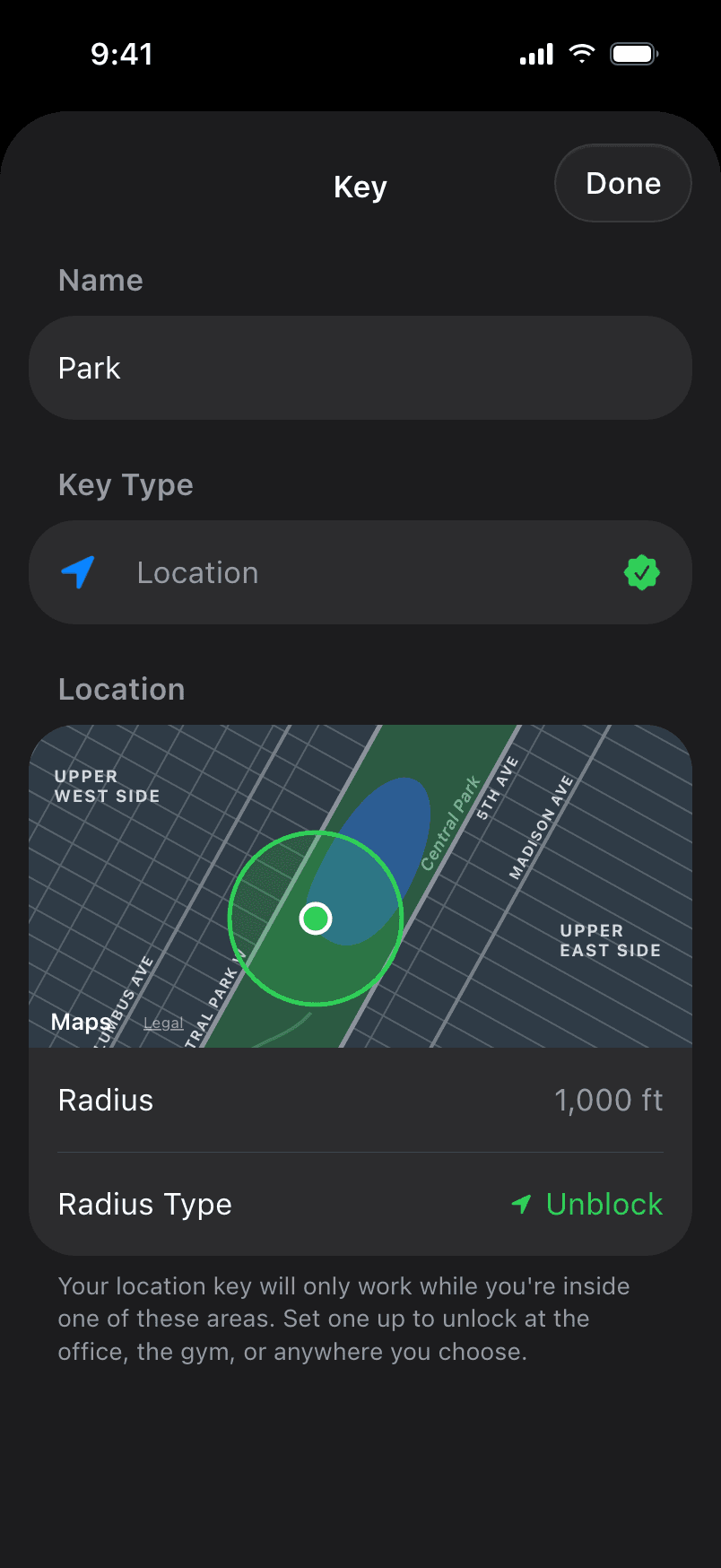
Location key with an unblock radius around Central Park

Location Keys

Only unblock at the park, the office or the gym. Or never at home, with a block radius.

  • Unblock radius
  • Block radius
03App groups
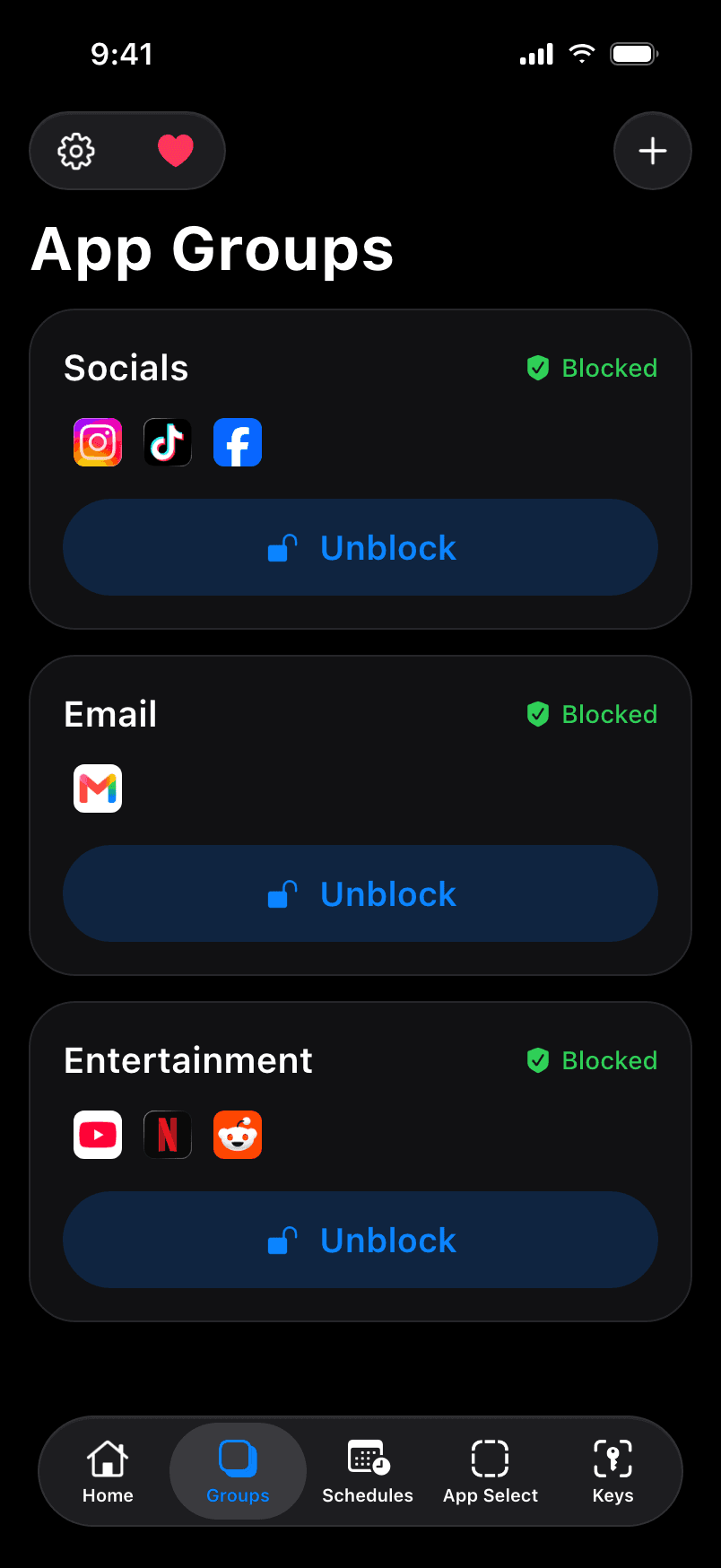
App groups: Socials, Email and Entertainment

App Groups

Socials, email, games. Unblock just the group you need and keep everything else locked.

  • Unlimited groups
  • Group keys
04Timed unblocks
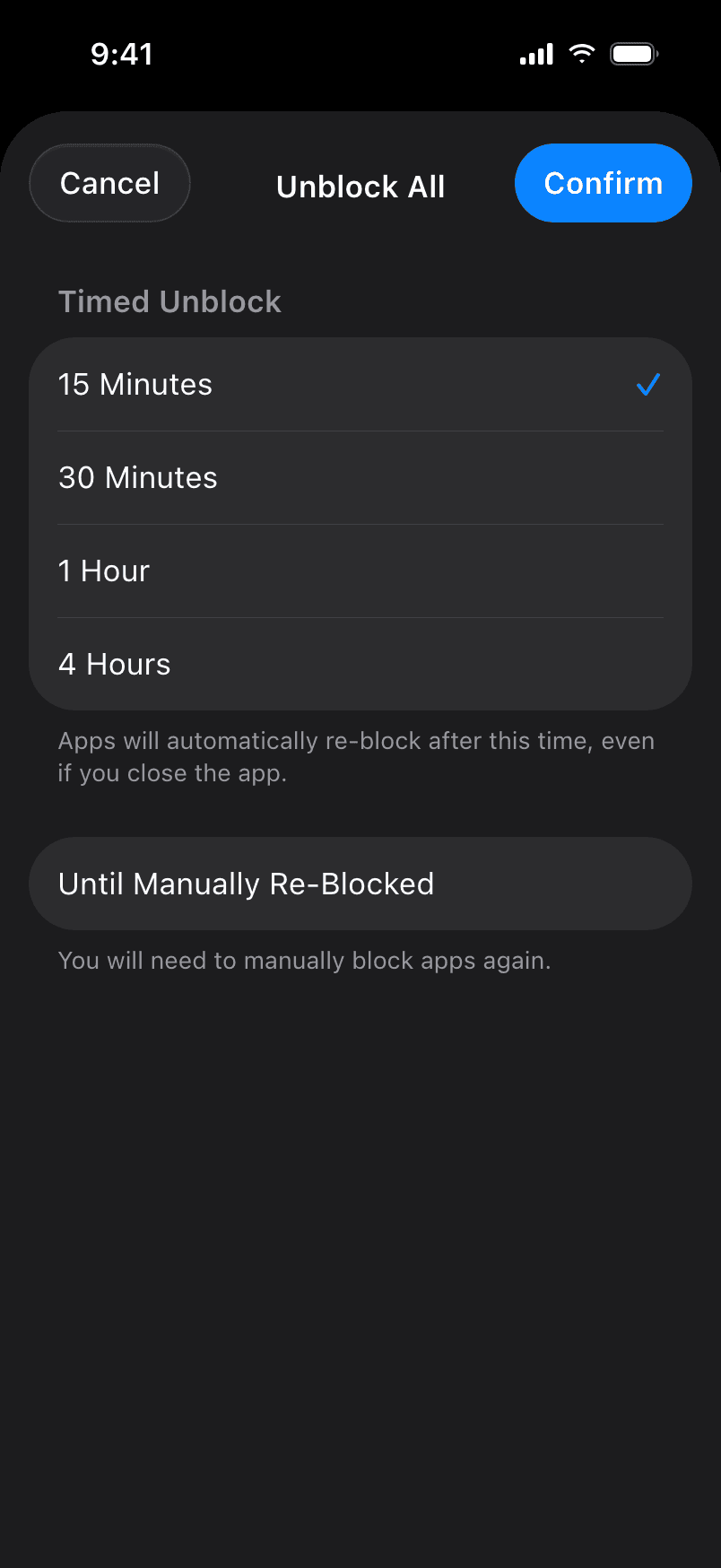
Timed unblock duration picker

Timed Unblocks

Unblock for 15 minutes and Normal re-blocks on its own. No willpower required.

  • Auto re-block
  • Custom durations
05New ·Max daily limits
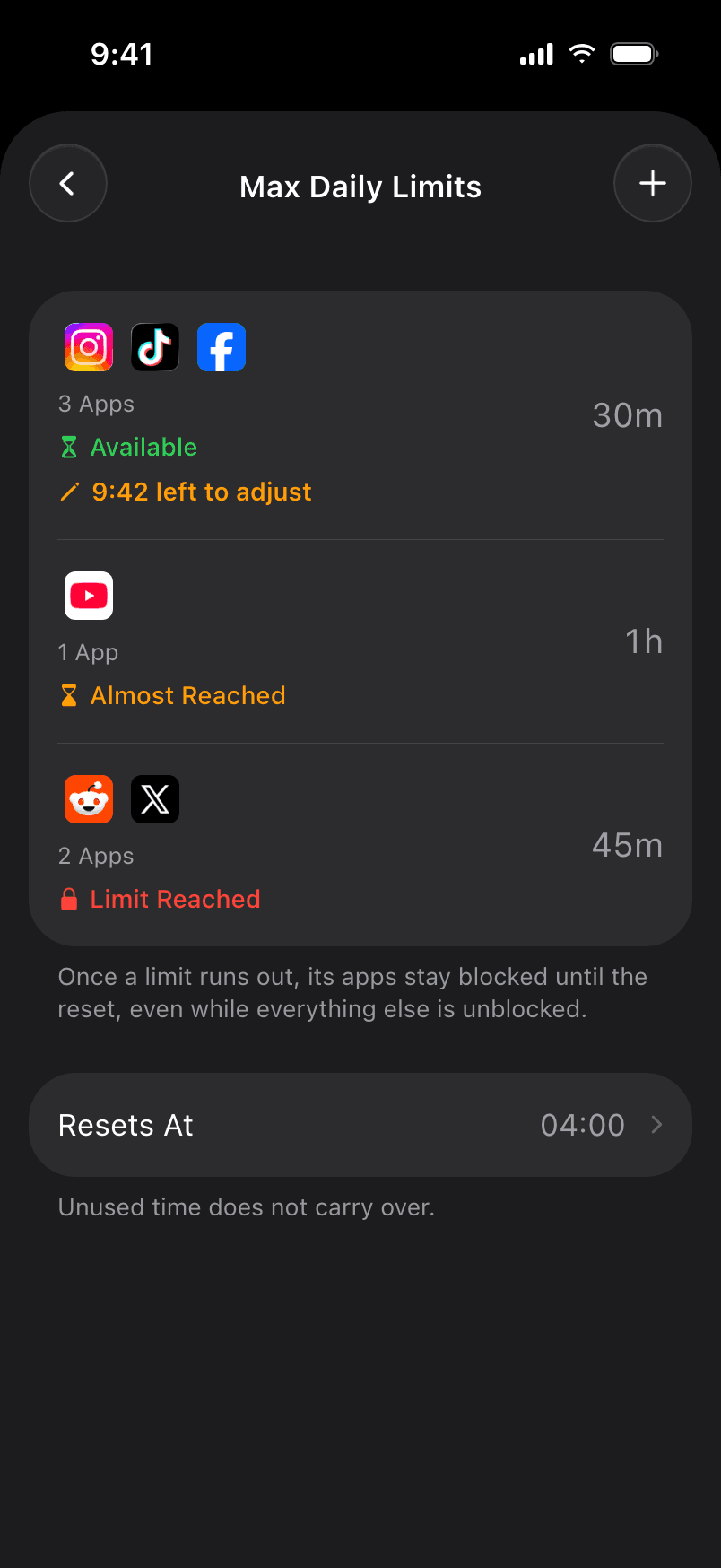
Max daily limits with available, almost reached and limit reached states

Daily Limits

Hard daily caps that hold, even when everything else is unblocked. Out of time means out of time.

  • Hard cap
  • Custom reset
06Schedules
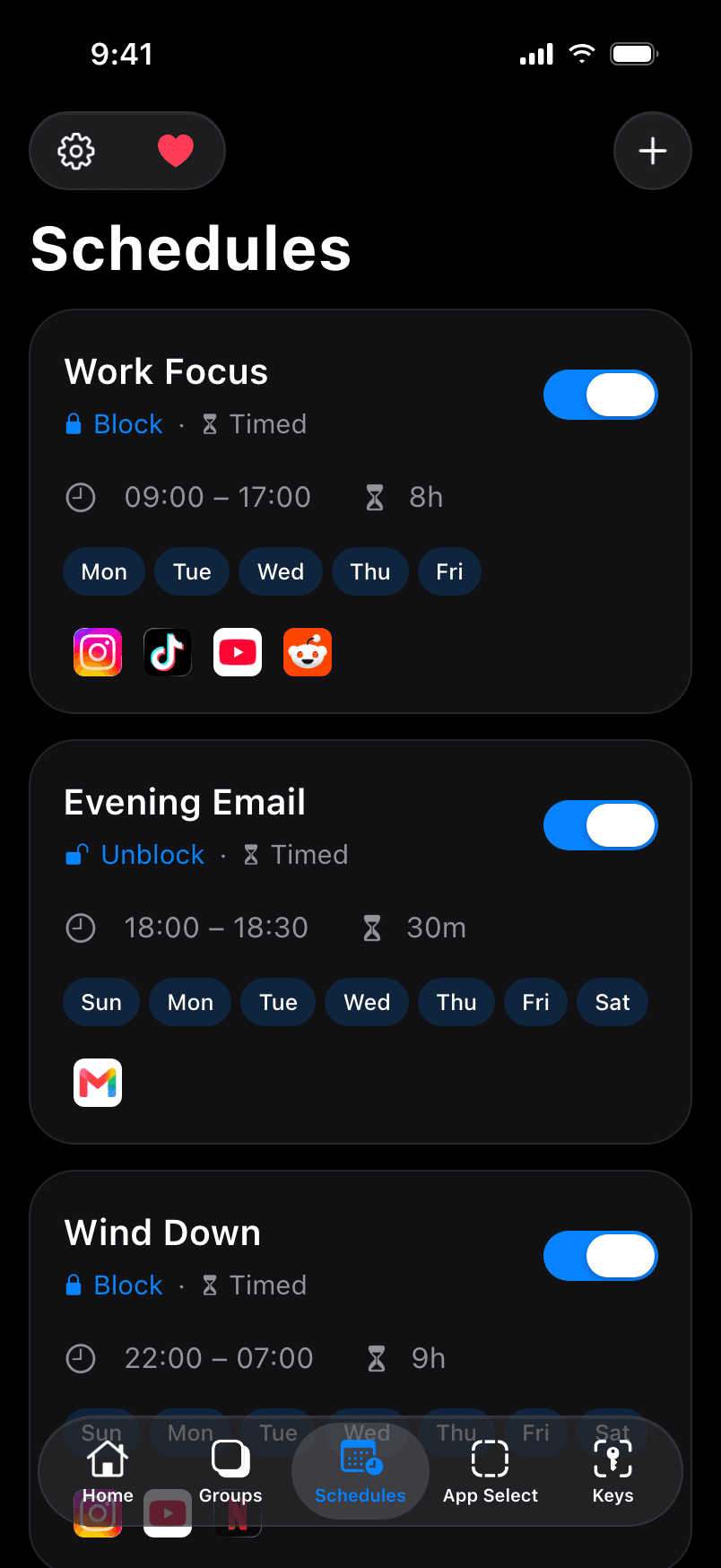
Schedules: Work Focus, Evening Email and Wind Down

Auto Schedules

Block during work, evenings or weekends. Set it once and it runs every week.

  • Recurring
  • Block or unblock
07Prevent bypassing
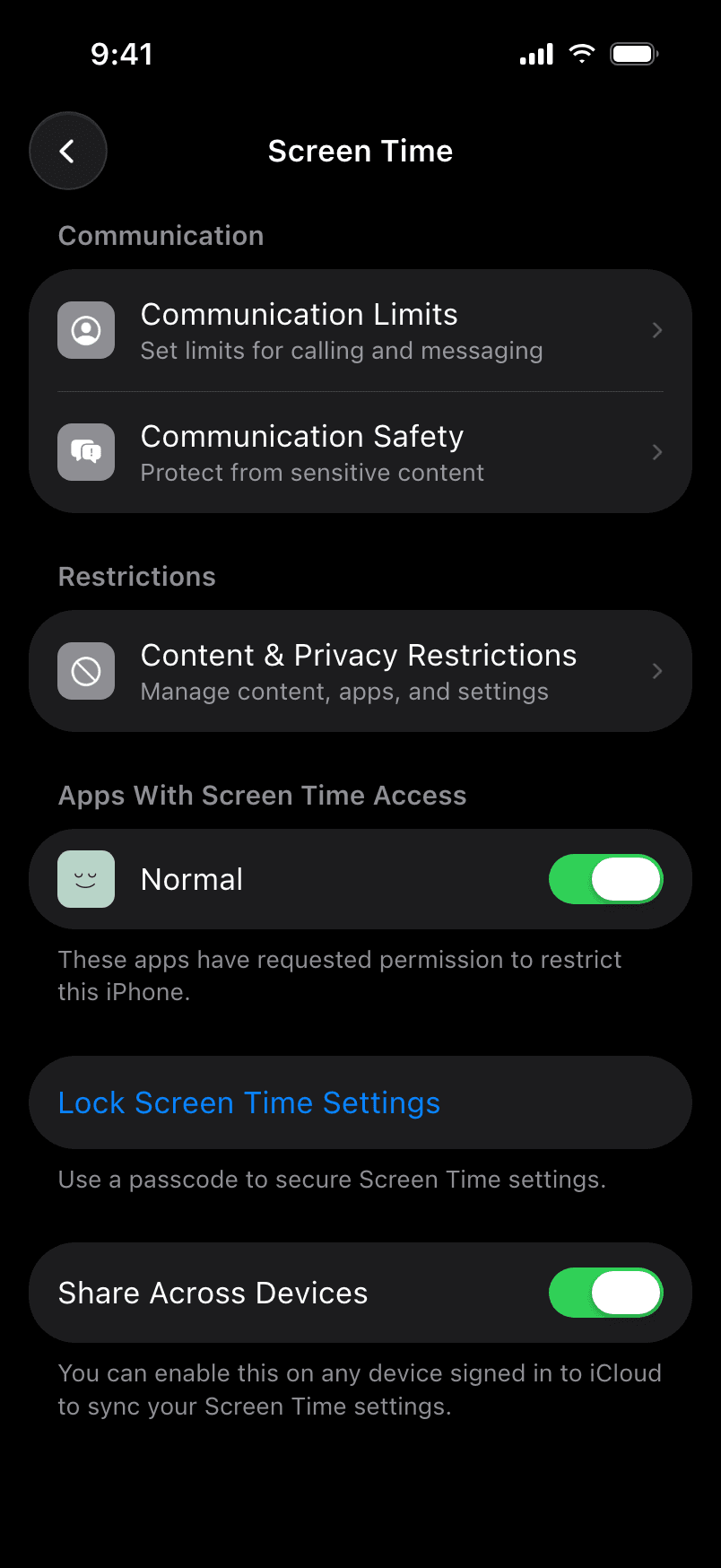
iOS Screen Time settings with Lock Screen Time Settings

Prevent Bypassing

Prevent app deletion and lock Screen Time settings so there's no way around it.

  • Prevent deletion
  • Bypass guide
08Shortcuts & widgets
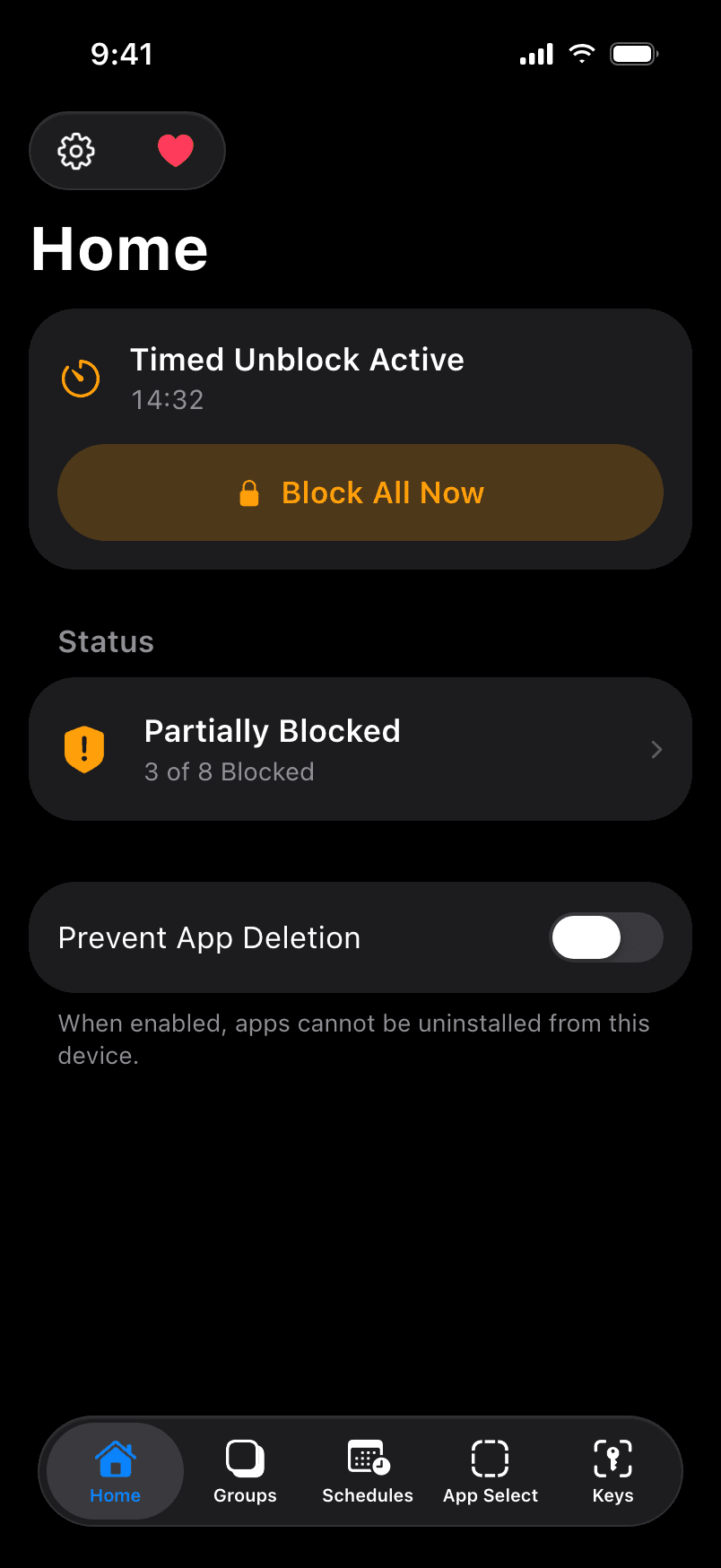
Home screen with a timed unblock active and a Block All Now button

Quick Actions

Block from Control Center, the Shortcuts app or an automation. Start an unblock from a Home Screen widget.

  • Control Center
  • Shortcuts
  • Widgets

07 /Principles

01

Free forever

No subscriptions, paywalls or in-app purchases. It shouldn't cost anything to use your phone less.

02

Open source

Every line is on GitHub under the MIT license. Read it, fork it, verify every claim on this page.

03

Nothing leaves your phone

No accounts, analytics or tracking. Your keys, groups and schedules are stored only on your device.

04

Works offline

No internet connection is needed to set up or enforce blocks. Everything runs locally.

05

Blocked by default

Apple's Screen Time asks if you want to continue. Normal keeps apps blocked until you scan your key.

06

An emergency exit

Three emergency unblocks for when you truly need one. Each use takes six months to come back.

08 /FAQ

Questions,
answered.

Everything you need to know about setting up Normal and preventing bypassing.

Still stuck? info@normalengineering.org

Getting Started & Setup

Privacy & Cost

Why Normal?

Project & Support

Free · Open source · Private

What would you do with 2 hours a day back?

That's half your daily screen time, or 4.2 years by age 80. People who blocked mobile internet for two weeks in a 2025 study cut about 2½ hours a day.[2] Download Normal and create a physical barrier.